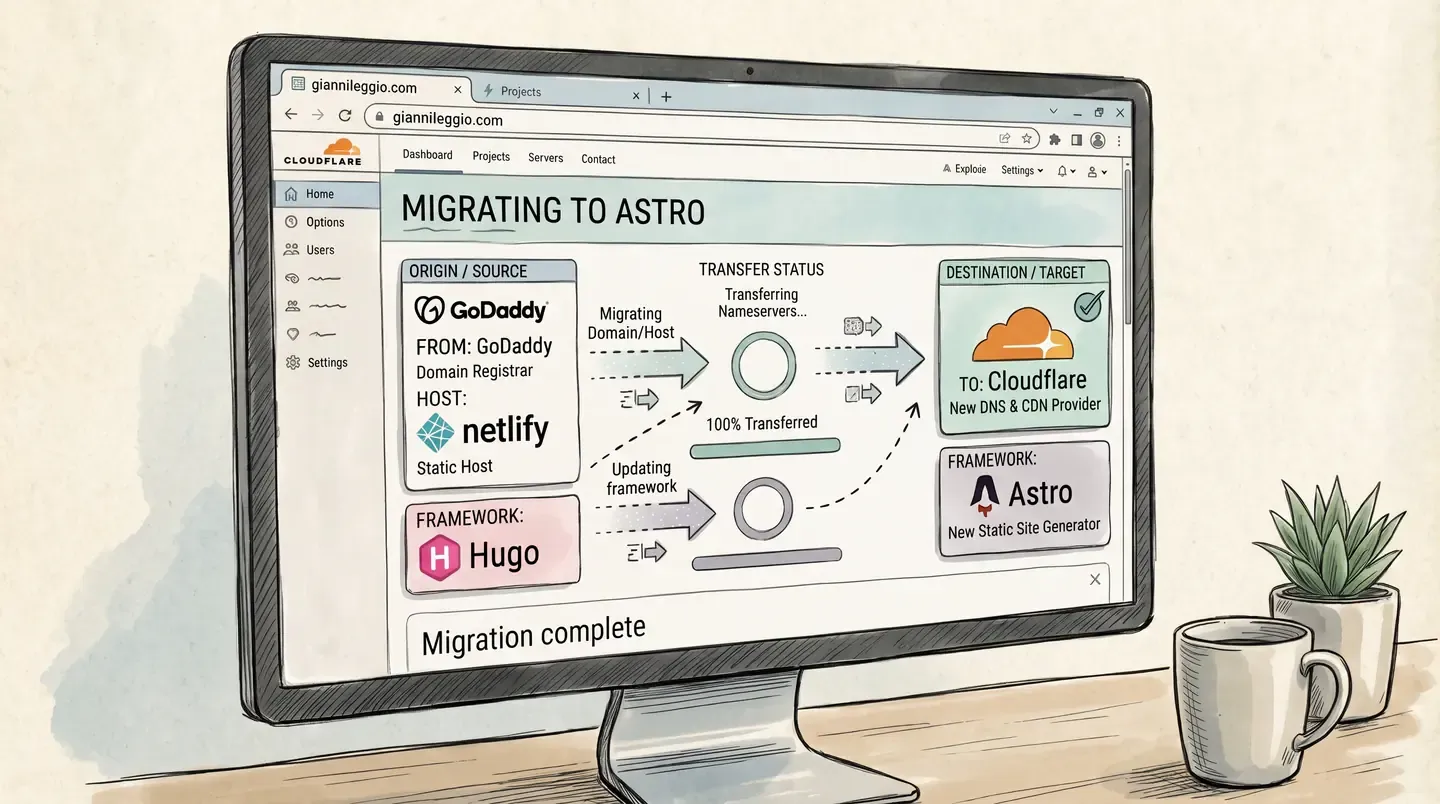
Your mission, should you choose to accept it: your blog lives in three places. The code is on one platform, the DNS is on another, and the domain is registered with a third, each with its own login, its own dashboard and its own way of failing at 2am. Consolidate the operation under one roof. Change the engine while it is still running. And do not let a single reader notice. This message will not self-destruct. Neither will the 301 redirects.
The Briefing
Until this week the site looked like this: Hugo with the PaperMod theme, built and hosted on Netlify. DNS and the domain registration at GoDaddy. Three vendors for one blog.
None of it was broken. That is exactly why it had been left alone for so long. But every time I touched something, I had to remember which dashboard held which piece. The reason to move was not performance or price. It was one place for everything: hosting, DNS, certificates, redirects and, as the last step, the domain registration itself. One login, one API, one CLI.
While I was at it, I also changed the generator: Hugo to Astro. Two migrations in one operation is usually how missions go wrong, so the rule was simple: every change had to be verifiable against the old site, page by page.
The other rule: I did not do this by hand. Claude Code did the work. I made the decisions and clicked the few buttons that only a human can click.
The Toolkit
Two tools carried most of the operation:
- Claude Code to port the site, run the commands and, more importantly, to check its own work.
cf, the new Cloudflare CLI (still in beta when I used it,1.0.0-beta.28, so check--helpbefore copying my commands). It covers DNS records, Pages domains, rulesets and the registrar from one binary, which is what makes “do everything in one place” real and not just a slogan.
Alongside them, wrangler for uploading the built site to Pages.
One habit made the whole thing safer: Claude worked in a separate git worktree on its own branch, so main and the live Hugo site stayed untouched until I was ready.
Phase 1: Port Hugo to Astro
The content was the easy part, and that was by design. Every article is a page bundle (content/posts/<slug>/index.md plus index.it.md for the Italian translation). Instead of copying anything, Astro reads those same folders in place through a content collection:
const posts = defineCollection({
  loader: glob({
    base: './content/posts',
    pattern: '*/index{,.it}.md',
    generateId: ({ entry }) => entry.replace(/\.md$/, ''),
  }),
  // ...schema
});
Hugo’s static/ folder became Astro’s publicDir, so favicons and images needed no move either. The same goes for a _redirects file, which both Netlify and Cloudflare read. One catch-all page, src/pages/[...path].astro, generates every route for both languages: home with pagination, posts, archive, search, about, categories and tags. The PaperMod look was ported as plain CSS, with the dark mode toggle intact.
The result built in a few seconds: 115 pages, with the cover images converted to webp along the way.
Phase 2: Prove It Is the Same Site
A migration is only finished when you can prove nothing was lost. So before touching DNS, Claude crawled both sites, the live Hugo one and the Astro preview, and compared them:
- every URL, status code and internal link
- titles, descriptions, canonical URLs and hreflang tags
- every image
- the normalized text of all 24 posts, English and Italian (HTML stripped to plain words, then diffed)
It found real problems that I would not have caught by clicking around:
- Astro turned
--into an em dash. The source uses--, Hugo renders an en dash, and Astro’s default typography renders an em dash. My style guide bans em dashes. The fix was one line of config:smartypants: { dashes: 'oldschool' }. - A wrongly closed quote. One line of dialogue in an article opened with a closing quote mark after a hard line break. Fixed with a tiny rehype plugin.
/sitemap.xmlwas gone. Hugo served an index there, Astro usessitemap-index.xml. If Search Console has the old URL submitted, that is a quiet SEO leak. A_redirectsrewrite covers all three Hugo sitemap URLs (/sitemap.xml,/en/sitemap.xmland/it/sitemap.xml).- Old redirects were missing.
/en/*and/posts/relied on Netlify config that Cloudflare ignores. I recreated them in the same_redirectsfile.
One more gotcha, for the record: after changing the markdown config, the old output kept appearing. Astro’s content cache was serving the previous render. Delete .astro/ after changing markdown settings, or you will chase a bug that is already fixed.
Phase 3: Stage It on Cloudflare
Before moving the real domain, I deployed the build to a throwaway pages.dev address. This is where the first surprise happened: running wrangler pages project create inside the repo made it try to “help” by auto-configuring the project as a Worker. It rewrote my Astro config, edited package.json and added a Cloudflare adapter I did not want, for a site that is entirely static.
Claude reverted everything and from then on created the Pages project through the API and ran wrangler pages deploy from outside the repo:
cd /tmp
npx wrangler pages deploy path/to/dist --project-name my-project --branch main
⚠️ If a deploy tool starts editing your project files unprompted, stop and check git status before you continue.
Then came a quick side-by-side speed test, from a single location (the dev box I work from), averaging 8 requests per page:
| Page | Netlify (Hugo) | Cloudflare (Astro) |
|---|---|---|
| Home, time to first byte | 469 ms | 196 ms |
| A post | 515 ms | 207 ms |
One location is one data point, not a ranking, and part of the gain is just a smaller page (the home page HTML went from 21 KB to 11 KB). I would not move hosts for speed alone. But it confirmed there was no penalty for leaving.
Phase 4: The Cutover
The nameservers moved first. GoDaddy greys out its default nameservers, so the trick is not to edit them: use Change Nameservers, choose “I’ll use my own nameservers”, and enter the two Cloudflare ones. Cloudflare imported the existing records automatically, but compare the imported list against what the domain actually serves before you rely on it. Auto-import can miss records.
The actual cutover was four steps, all through cf:
- Attach
giannileggio.comandwww.giannileggio.comto the Pages project as custom domains. - Delete the apex
Arecord that pointed at Netlify, and create a proxiedCNAMEpointing atmy-project.pages.dev. - Point
wwwat the same target, also proxied (the orange cloud). A redirect rule only fires on proxied traffic. - Add one redirect rule so
wwwalways lands on the apex:
cf rulesets create -z example.com --body '{
  "name": "Redirects", "kind": "zone",
  "phase": "http_request_dynamic_redirect",
  "rules": [{
    "description": "www to apex",
    "expression": "(http.host eq \"www.example.com\")",
    "action": "redirect",
    "action_parameters": { "from_value": {
      "status_code": 301, "preserve_query_string": true,
      "target_url": { "expression": "concat(\"https://example.com\", http.request.uri.path)" }
    }}
  }]
}'
A zone can only have one ruleset per phase, so if you already have redirect rules, append this one to the existing ruleset with cf rulesets rules create instead.
For about two minutes some pages returned a 522, with some URLs working and others not, while the custom domain was still pending in Pages and its certificate and validation were in progress. It resolved by itself once the domain went active. If you do this on a site people are reading, expect that window.
Afterwards Claude re-checked the whole matrix: both languages, a post, the sitemap, robots.txt, http to https, www to apex, the old /en/ and /posts/ paths, and a deliberate 404. All correct.
Rollback was one record: put the old A record back. I never needed it, but knowing it existed is what made the cutover calm.
What Went Wrong (Because Something Always Does)
- Logging in from a remote machine.
wrangler loginand thecflogin redirect your browser tolocalhost, which on a remote box is the wrong machine. The page fails to load, but the URL it fails on contains the one-time code. Claude replayed that callback URL withcurlfrom inside the box, and the login completed. - A token that cannot manage tokens. The
cflogin could not create API tokens (a 403). Anything involving a CI token has to be created by hand in the dashboard. - The
wwwto apex surprise. Mynetlify.tomlsaid apex towww. The live site did the opposite, presumably because a domain setting in Netlify’s dashboard takes precedence over the file (I did not dig further). I only learned this by testing the real behaviour, which is a good argument for the crawl.
Phase 5: Close the Loop
Two pieces were left to make “everything in one place” literally true.
Deploys on push. A Pages project created by direct upload cannot be switched to Git integration, so a small GitHub Actions workflow does the job: on every push to main it installs, builds with npm run build, and runs wrangler pages deploy through cloudflare/wrangler-action. The excerpt below is the heart of it (actions/checkout and actions/setup-node come before it); replace the project name and account id with yours.
- run: npm ci
- run: npm run build
- uses: cloudflare/wrangler-action@v3
  with:
    apiToken: ${{ secrets.CLOUDFLARE_API_TOKEN }}
    accountId: <your account id>
    command: pages deploy dist --project-name=my-project --branch=main
The secret is an account-owned API token with a single permission, Cloudflare Pages: Edit. Not the Global API Key, and not the broad Workers template. I saved the token to a file and fed it to gh secret set over stdin, so it never appeared in the chat or on a command line. The first run after the push went green end to end, and the deployment showed up in Cloudflare tied to the commit that triggered it. From here on, publishing an article is git push.
The registrar. Until now only DNS had moved. The registration itself followed: unlock the domain at GoDaddy, request the authorization code, start the transfer from the Cloudflare dashboard. Then I verified it independently, with a registry (RDAP) lookup. The public .com registry record now names Cloudflare as the registrar, with the expiry pushed out by the year the transfer added. Cloudflare’s own listing agrees: active, auto-renew on, transfer lock on.
⚠️ A transfer adds a year of registration, so it is billed as a renewal. Check the amount before you confirm. Also, ICANN blocks transfers within 60 days of a registration or a previous transfer.
The Debrief
What I would keep from this:
- Make the old site the test oracle. “It looks fine” is not verification. A crawler diffing two sites found four problems that a manual check would have missed.
- Work on a branch, deploy to a throwaway URL, then switch DNS. Each step was reversible until the very last one, and the last one has a one-record rollback.
- Let the AI run the commands, but keep the decisions. Which site goes live, which hostname is canonical, whether to spend money on a transfer: those stayed with me. Everything else was faster delegated.
- Check what the tools do to your repo. The one time a tool went off-script, it was the tool, not the plan.
The honest summary: it took one working session, and most of it went on verifying, not building.
Mission accomplished. Registrar, DNS, certificates, redirects and deploys: one login, one CLI, one place to look when something breaks. Your next objective: find the other three accounts you have been meaning to consolidate.