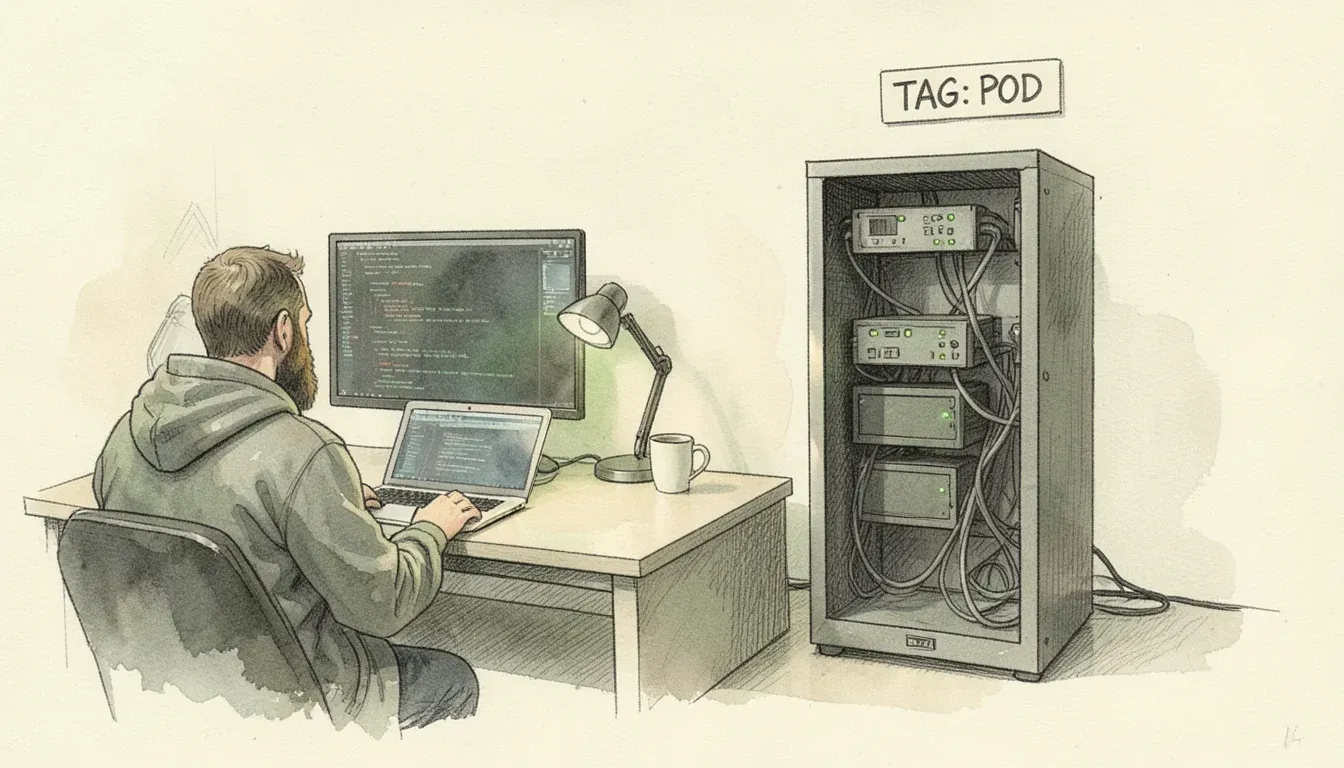
“Your mission, should you choose to accept it: get four machines to trust each other without a single key changing hands.”
No keys in transit. No copies buried in forgotten containers. One rule decides whether the operation holds: know exactly who is knocking.
I run a handful of machines: two laptops, two mini PCs. On each one there is a host and a long-running dev container where my AI agents work. I wanted one thing: SSH between my machines without copying a single key. (The policy I ended up with is stricter than “any to any”, as you will see.)
Here is why that is worth the effort. With keys, every rebuilt container is a small chore and a small risk: a key to copy in, a key to rotate, a stale copy buried somewhere you forgot. With identity-based SSH there are no client SSH keys to distribute or rotate between machines. Tailscale manages node identities instead, so any box can be wiped and rejoined without touching the others. That is what makes a pod disposable.
I got there. But the interesting part is not the setup. It is the question the setup forced me to answer: when a process inside a container opens an SSH connection, who is it?
Where I started
The old way worked, and it was a mess:
- Each host had an
authorized_keysfile, maintained by hand. - The container got a copy of the host’s whole
~/.sshat boot, private keys included, because git needed one. - Reaching the container meant a
ProxyCommandthrough the host, plus an alias in~/.ssh/configon every client.
Every new machine meant touching all the others. Every key was a thing that could leak from a box running agents with shell access.
The move: identity instead of keys
Tailscale SSH replaces key checks with tailnet identity. The server side is one flag:
sudo tailscale set --sshNo authorized_keys. Who may log in, and as which user, lives in one place: the tailnet policy file. (How a host joins the tailnet in the first place is in Day Zero Protocol.)
To make the container reachable on its own, I gave it its own node. tailscaled runs inside the container in userspace networking mode, so it needs no /dev/net/tun and no extra capabilities:
tailscaled --tun=userspace-networking --statedir=/var/lib/tailscale &
tailscale up --ssh --hostname=box-a-pod --advertise-tags=tag:pod
Put /var/lib/tailscale on a volume, or every rebuild joins as a new machine and leaves a stale one behind. Treat that directory as a credential: it holds the node’s identity.
Now ssh me@box-a-pod works from my laptop. No key, no alias, no hop through the host.
The trap: SSH trusts the node, not the process
This is the part I almost got wrong.
Tailscale SSH authenticates the source node: the machine the connection comes from, together with its owner or tags. It has no idea which process on that machine opened the connection. A shell, an IDE and a compromised AI agent all inherit the same network identity.
In my setup, a container without its own Tailscale node sends its outbound traffic through the host’s network stack. From the tailnet’s point of view, that traffic is the host.
So picture the obvious rule: “my servers can SSH into each other”. Every container on every one of those servers inherits it. Any agent, in any container, gets a shell on every other server. There is no SSH key to steal, because there is no SSH key.
With keys, a compromised container had to find one. With identity, it only has to exist on the right machine.
The rule I ended up with:
- User devices (laptop, phone) can SSH into everything.
- Containers can SSH into other containers. I need this: herdr, the terminal workspace manager I use to drive agents, attaches from one to another.
- Hosts are never a source. Not for each other, not for anything.
The example below shows only the SSH half of the policy. Tailscale needs two layers to allow a connection: a network access rule that lets the source reach the destination on port 22, and an SSH rule. My network rules already permit the corresponding host and pod connections; if yours do not, SSH will be refused even with this block in place.
"tagOwners": {
  "tag:host": ["autogroup:owner"],
  "tag:pod":  ["autogroup:owner"],
},
"ssh": [
  { "action": "accept", "src": ["autogroup:owner"],
    "dst": ["tag:host", "tag:pod"], "users": ["me"] },
  { "action": "accept", "src": ["tag:pod"],
    "dst": ["tag:pod"], "users": ["me"] },
],
Getting out: tailscale nc
Userspace mode has a catch. There is no tailnet network interface (no TUN device) inside the container, so a plain ssh box-b-pod from in there either fails or leaves through the host, with the host’s identity. Exactly what the policy forbids.
The fix is to send SSH through the container’s own node:
# /etc/ssh/ssh_config.d/50-tailnet.conf
Match exec "tailscale ip -4 %h >/dev/null 2>&1"
    ProxyCommand tailscale nc %h %p
tailscale ip <host> only succeeds for a tailnet peer. So peers get proxied through the container’s node, and everything else (GitHub, the LAN) is left alone. No list of hostnames to maintain. Tailscale’s own tailscale ssh wrapper can do a similar job; I prefer the ProxyCommand because ordinary OpenSSH tooling (ssh, scp, remote editors) keeps working unchanged.
The one that would have bitten me later
First real test, non-interactive command over Tailscale SSH:
ssh me@box-a-pod 'echo $PATH'
# /usr/local/sbin:/usr/local/bin:/usr/sbin:/usr/bin:/sbin:/bin
None of my tools. The image sets PATH with ENV, and my shell config sets it in .zshrc. A Tailscale SSH session inherits neither: it is a fresh login, and a non-interactive zsh -c never reads .zshrc.
My old sshd had papered over this with a SetEnv PATH=... line I had forgotten about. The fix belongs in the one file every zsh reads:
# ~/.zshenv
typeset -U path
path=("$HOME/.local/share/mise/shims" "$HOME/.local/bin" $path)
Anything that runs remote commands (editors in remote mode, scp, agent tooling) depends on this. Test it before you delete the old door.
Verification: four pods, twelve connections
First two throwaway containers, then four real pods (two mini PCs, a Linux laptop, a Mac), all joined to the real tailnet. Four pods make twelve directed connections, and I tested every source and destination pair instead of trusting one direction:
| Check | Result |
|---|---|
| Laptop to pod, no key | In |
| Pod to pod, by name and by IP | In |
Pod to pod as root |
Refused by policy |
| Pod to a tagged device that is not a pod | Refused by policy |
github.com from a pod |
Not proxied |
| Pod dials itself by name, what does the target see? | The pod’s own tailnet IP, not the box’s |
herdr machine add through that path |
Remote server ready, reachable |
| All 12 directed pod-to-pod connections | In, each time as the calling pod |
What this does not fix
- A container on your laptop is your laptop. Same trap, other direction: its traffic carries the laptop’s identity, and the laptop is allowed everywhere. I checked on Docker Desktop for Mac: a throwaway Alpine container with no Tailscale and no key got a shell in a pod, and the pod logged the Mac’s tailnet IP as the source. The pod that has its own node showed up as itself.
- Pod to pod is wide open by design. An agent in one container can open a shell in all the others. I accepted that. You might not.
- Tagged sources get no second factor. Tailscale SSH’s “check” mode asks a human to re-authenticate, and Tailscale does not allow it for rules whose source is a tagged device. A tagged node has no human behind it, so machine-to-machine access is its own trust boundary.
- Git still needs a credential on the box. Tailscale SSH replaces keys for machine-to-machine access only. Unattended clones cannot use a forwarded agent, so Git keeps its own per-machine keys, generated in place, never copied.
- The credentials moved, they did not vanish. Each node’s Tailscale state is now the thing worth protecting. Anything that can read it or control the daemon can act as that node.
Field notes
- Identity-based SSH moves the question from “who has the key” to “which machine is talking”. Containers blur that answer. Draw the line in the policy, not in your head.
- Tag everything that is not a person’s device. Then write rules about tags.
- Never let a host be a source if it runs containers you do not fully trust.
- Give the container its own node if it needs to reach out. Then it has its own name in the policy.
- Test a non-interactive command before trusting any new SSH path.
PATHis where it breaks. - Test an interactive one too. My first real login garbled every keystroke (
lsshowed up aslss): the pod had no terminfo entry for my terminal (Ghostty). Containers ship a minimal terminfo database, so bake yours into the image. - A config copied from a Mac carries
UseKeychain yes, which Linux ssh rejects as a bad option. Then every ssh in the container fails, including the tools that shell out to it.IgnoreUnknown UseKeychainat the top of the file fixes it. - A laptop you also use directly is a bad home for a container that rewrites config in a shared directory. Mine would have replaced my own agent settings through a bind mount. Give the container a private state dir.
- Build for both architectures from the start. Three direct downloads (sops, Go, mise) were the only thing between my image and Apple Silicon.
- Name the pod and the box differently. Mine both answered to the box’s name, and I spent a minute convinced I had SSH’d into the wrong machine.
Keys retired, identities verified, every door accounted for. No client keys to distribute when a box is rebuilt, and one new credential to guard: each node’s Tailscale state. Leave the old entrance open for a week, run the new route, then seal it. Your next objective: audit who your containers really are. This message will not self-destruct, so keep the policy file in version control.